Message Actions
Message Actions give you quick access to common poll tasks straight from a poll message, with no need to type a command or look up a poll ID. They're the fastest way to manage a poll while you're actively moderating.
To use them, right-click (or long-press on mobile) a poll message, open the Apps menu, and choose an action.
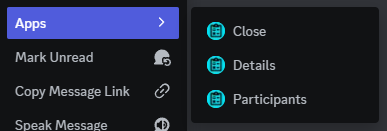
Like the matching slash commands, these actions require the Manage Server permission by default.
Poll actions
These actions appear when you right-click a poll message posted by EasyPoll.
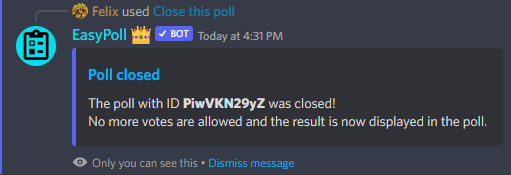
Close
Immediately closes the poll and shows the final results, the same as /closepoll. No more votes can be submitted afterwards.
Reopen
Opens a closed poll back up so members can vote again, just like /reopenpoll. All existing votes are kept.
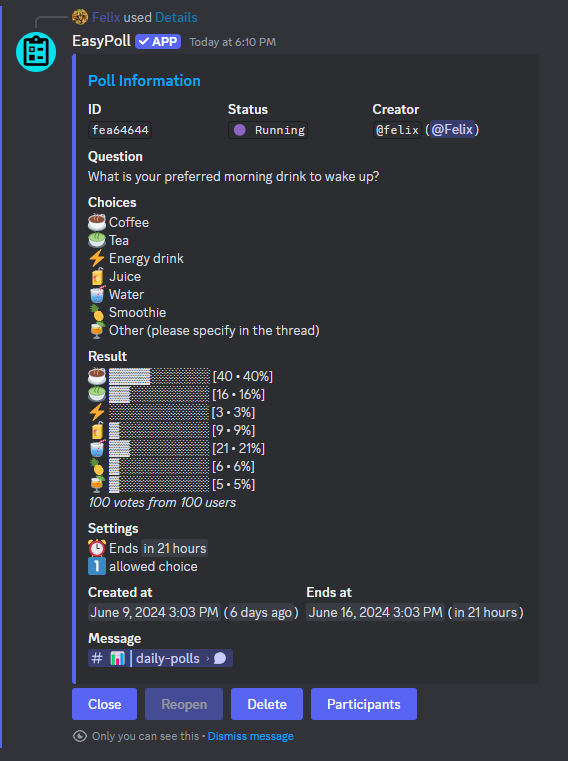
Details
Shows a private overview of the poll (its ID, creator, status, settings, and current results), the same as /showpoll. For anonymous and hidden polls, moderators can peek at the standings here even before the poll closes.
Edit
Opens the interactive poll editor to change the question, answers, emojis, colors, and more, the same as /editpoll.
Participants
Lists who voted for which answer, the same as the participants view of a poll. This respects privacy: for anonymous polls, voter information is never shown.
Export
Downloads the poll's data as a CSV or JSON file, the same as /exportpoll.
Delete
Permanently deletes the poll after a confirmation, the same as /deletepoll.
Member actions
When you right-click a message from a member (instead of a poll), EasyPoll also offers moderation actions: