List Polls Command
About the command
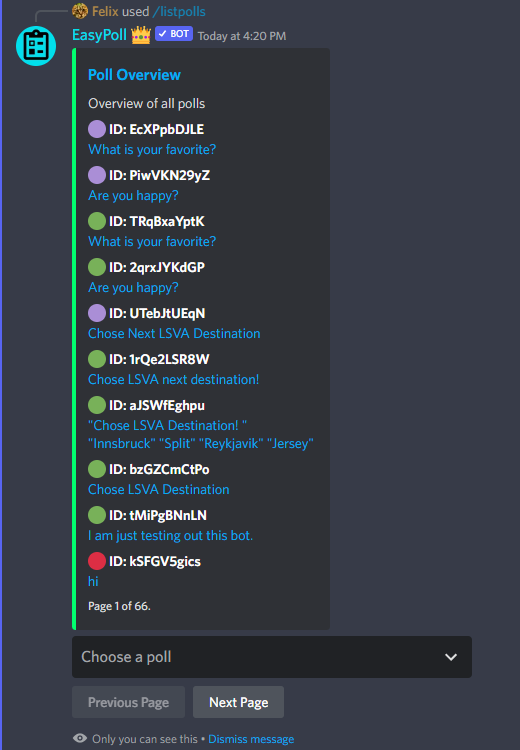
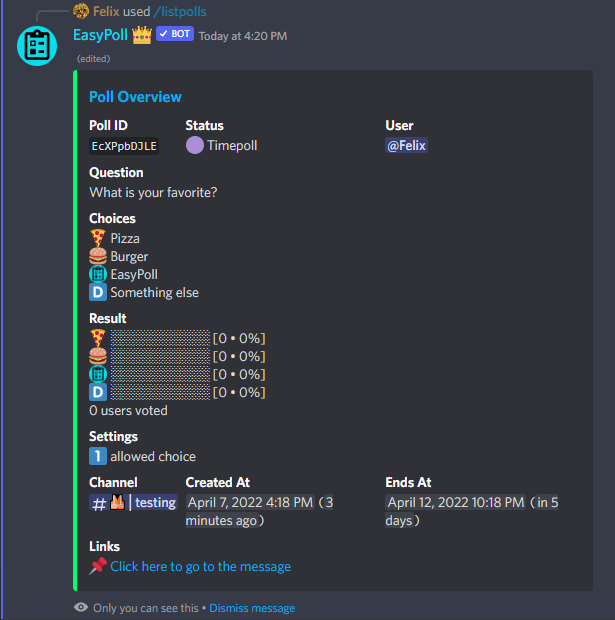
The List Polls Command gives you an overview of all polls on your server. Each entry shows the poll's status and ID together with its question. From the list you can open any poll directly through a select menu, which then shows the same details as /showpoll, including quick-action buttons.
The list is paginated (10 polls per page) and can be filtered by status, channel, and creator. There's also a button to open the full poll overview on the Dashboard.
Quick Overview
- Command:
/listpolls - Required Options: None
- Optional Options:
status,channel,user - Default Required Permissions:
Manage Server
Arguments
| Option | Description | Required | Default |
|---|---|---|---|
status | Which status should the polls have? | ❌ | All |
channel | In which channel should the polls be? | ❌ | No Filter |
user | From which user should the polls be? | ❌ | No Filter |
Poll statuses
The status filter lets you narrow the list down to one kind of poll:
- Open – published polls without a time limit that are still accepting votes
- Running – published polls with a time limit that hasn't expired yet
- Closed – polls that have ended and show their final results
- Scheduled – polls created with
/schedulepollthat are waiting to be published - Unpublished – draft polls that were prepared but not posted yet
- Failed – polls that couldn't be posted (for example due to missing permissions)
Examples
List all polls
/listpolls
List only closed polls in a specific channel
/listpolls status:Closed channel:#general